If you run a Square-powered business and need dependable, fast receipt printing, these printers are built to integrate smoothly with Square Stand, Square Register, or Square POS apps. This guide highlights five compatible models, explains who each is best for, and shows why they stand out for different use cases—from bustling retail to quick-service restaurants. A quick comparison table is provided below to help you decide at a glance.
| Product | Best For | Key Benefit |
|---|---|---|
| Epson TM-T20IV | Medium-traffic retail or restaurant | High-speed 310 mm/s with multi-interface options |
| Star Micronics TSP143IIIU | Plug-and-Play USB setups | Very easy setup with De-Curl paper and fast 250 mm/s |
| Epson TM-T20III | Square Stand/Retail shops | USB-only, Square Stand compatibility |
| MUNBYN WiFi Receipt Printer (P047) | Wireless, multi-OS environments | WiFi, USB/LAN/RS232 with Square compatibility |
| EOM-POS Hardware Bundle | Complete Square-ready setup | Printer + cash drawer bundle with Square compatibility |
Epson TM-T20IV Thermal Receipt Printer

The Epson TM-T20IV offers high-speed thermal printing at up to 310 mm/s, supporting rapid checkout in busy environments. It features USB, Serial (RS-232), and Ethernet interfaces, plus an extra USB-A port for peripherals like barcode scanners or customer displays. This makes it flexible for varied POS setups and cloud-based workflows. It’s a solid choice for retailers, cafés, or service businesses that prioritize quick, smooth printing and easy integration with Windows, Android, or iOS devices via Epson ePOS.
Best for: Medium-traffic stores and eateries that need fast receipts and flexible connectivity. Limitations: Ensure your current POS setup supports Ethernet or RS-232 if you’re moving away from USB-only configurations.
Star Micronics TSP143IIIU USB Thermal Printer

The Star Micronics TSP143IIIU emphasizes ease of setup with a plug-and-print USB connection. It supports iOS, Android, and Windows, enabling straightforward direct printing from mobile devices or cloud POS apps. The clamshell design allows quick paper loading, and its De-Curl function keeps receipts flat for neat presentation. With a robust 250 mm/s print speed, it’s well-suited for fast casuals and quick-service formats where simplicity and reliability matter.
Best for: Businesses that want a quick, minimal setup with reliable USB printing. Limitations: USB-only models may require alternative connectivity if you plan to network multiple devices without a USB hub.
Epson TM-T20III (Monochrome) POS Printer

The TM-T20III is compatible with Square Stand and Square Register, using USB only. This makes it a dependable option for Square users who operate in fixed counter setups. It is not a Bluetooth or Wi‑Fi printer, so ensure your environment uses a wired USB connection and that the Square app is properly configured to recognize the device. It’s a straightforward, reliable choice for Square-centric workflows.
Best for: Square Stand or Square Register users who prefer USB-only setups. Limitations: Not suitable for wireless printing or off-site mobile orders without additional networking solutions.
MUNBYN WiFi Receipt Printer (P047)
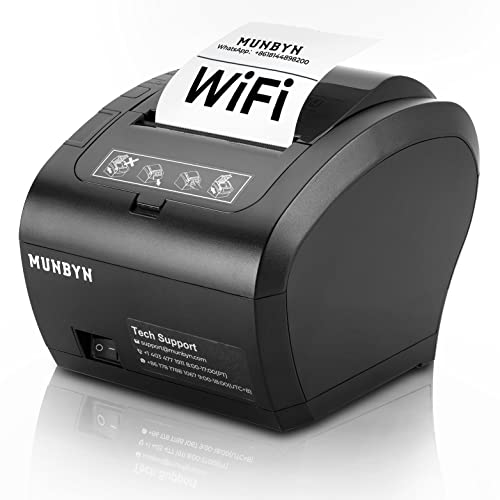
The MUNBYN P047 combines WiFi with USB, LAN, and RS232, offering broad compatibility for Square environments and other operating systems. It supports multiple connection methods, simplifying integration in mixed-device ecosystems. The model is marketed with energy-conscious design and a fast 300 mm/s print speed, plus an automatic cutter for tidy receipts. Note that it does not support Square’s 5G WiFi band or some mobile wallet ecosystems, so verify compatibility with your network and POS apps.
Best for: Businesses needing wireless printing and multi-network flexibility that still want Square compatibility. Limitations: Some features may vary by network band and app compatibility; verify your setup before purchase.
EOM-POS Hardware Bundle (Printer + Cash Drawer)
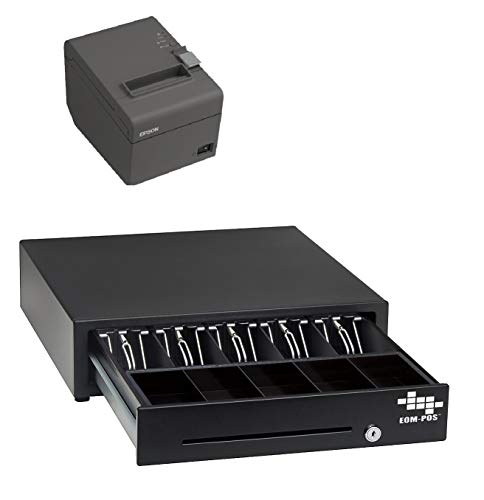
This bundle includes an Epson USB Thermal Receipt Printer with Autocut and a compatible cash drawer, marketed as Square Stand and Square Register compatible. It’s designed to offer a complete, ready-to-deploy POS solution for storefronts that want an integrated hardware setup. The bundled approach can simplify procurement and ensure consistent performance across printing and cash-drawer operations.
Best for: Stores seeking a turnkey Square-ready POS setup. Limitations: The bundled kit may lock you into a single supplier for both printer and cash drawer support; verify compatibility with your Square workflow.
Buying Guide: Key Considerations for Square-Compatible Receipt Printers
- Connectivity needs: Do you rely on USB, Ethernet, wireless, or a mix? Choose a printer whose interfaces align with your POS hardware and network.
- Printed speed: High-volume environments benefit from faster print speeds (e.g., 300+ mm/s). Consider peak transaction times and queue lengths.
- Ease of use: Clamshell loading, drop-in paper, and simple setup reduce onboarding time and maintenance calls.
- Compatibility with Square: Confirm that the printer is officially supported or known to work smoothly with Square Stand, Square Register, or Square POS apps in your region.
- Energy considerations: ENERGY STAR-certified options can lower operating costs in busy stores.
- Future-proofing: If your business plans include mobile orders or cloud-based workflows, consider wireless or network-enabled models.
- Peripherals: If you need additional devices (barcode scanners, customer displays, cash drawers), prioritize printers with extra USB ports or compatible interfaces.
Frequently Asked Questions
- What is the main advantage of a USB-only receipt printer for Square? — It offers a simple, reliable wired connection and is easy to configure for fixed-position setups like a counter with a Square Stand or Register.
- Can I use a WiFi printer with Square? — Yes, many WiFi-capable printers are compatible with Square, but verify your network and app compatibility, especially for 5G bands.
- Is print speed important for my store? — Yes. Higher speeds reduce customer wait times during peak hours and improve overall throughput.
- Should I buy a bundled printer and cash drawer? — If you want a ready-to-deploy setup with one vendor, a bundle can simplify procurement and support, but confirm compatibility with your Square workflow.
- What should I check before purchasing for Square compatibility? — Confirm supported interfaces, driver availability, and Square’s recommended devices for your specific Square plan and region.
- Are all these printers compatible with iOS, Android, and Windows? — Most listed models support Windows and various mobile platforms via USB, Ethernet, or WiFi; verify each model’s exact OS compatibility in the product details.